WisExpenseOpen the app
Topics

Delete your account

Permanently delete your account and its data, choosing what happens to the wallets you share.

Show steps for

You can delete your account yourself, in the app, on any plan. Deleting is immediate and cannot be undone: there is no grace period.

Before you start

You can download a backup first. Every plan can do this when closing the account; it is up to you, and photos and scanned receipts can’t be backed up. If you share wallets with other people, you choose what happens to each one. You will be asked to sign in again for your security.

Steps

Web
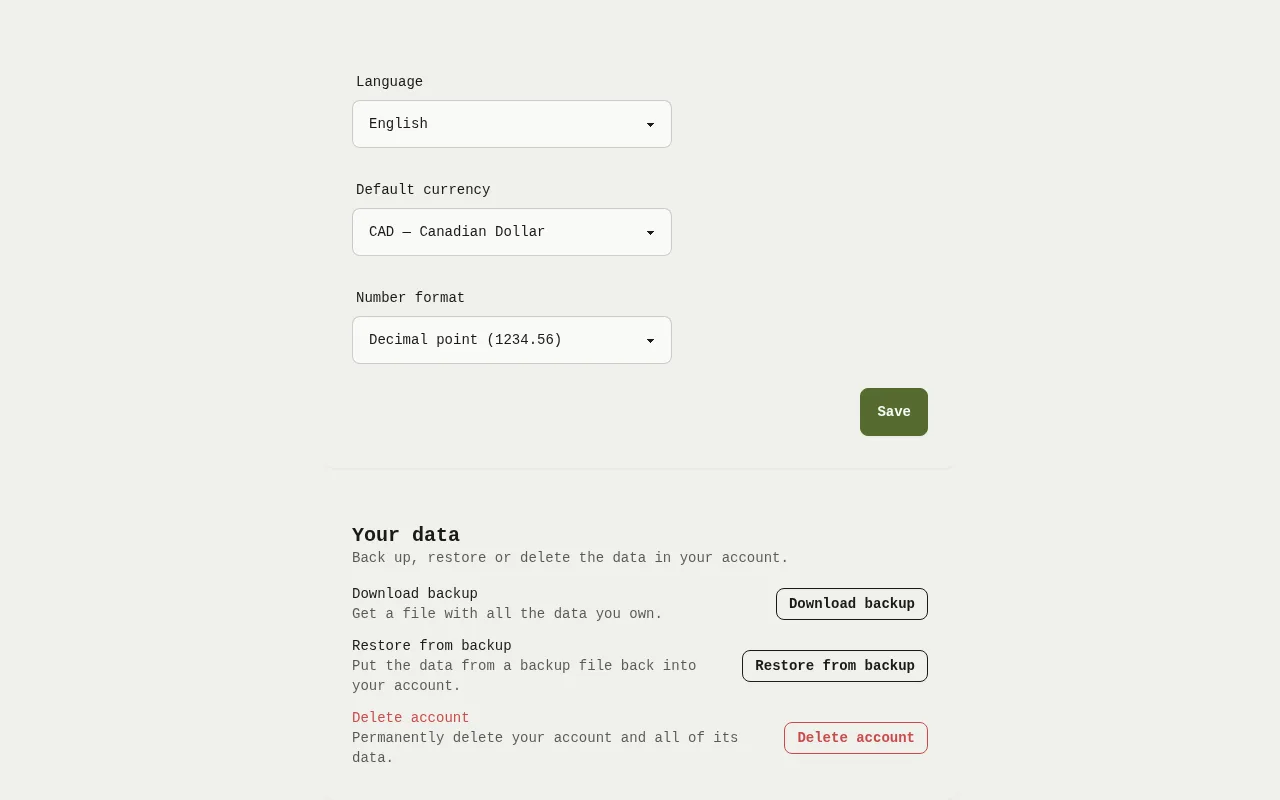
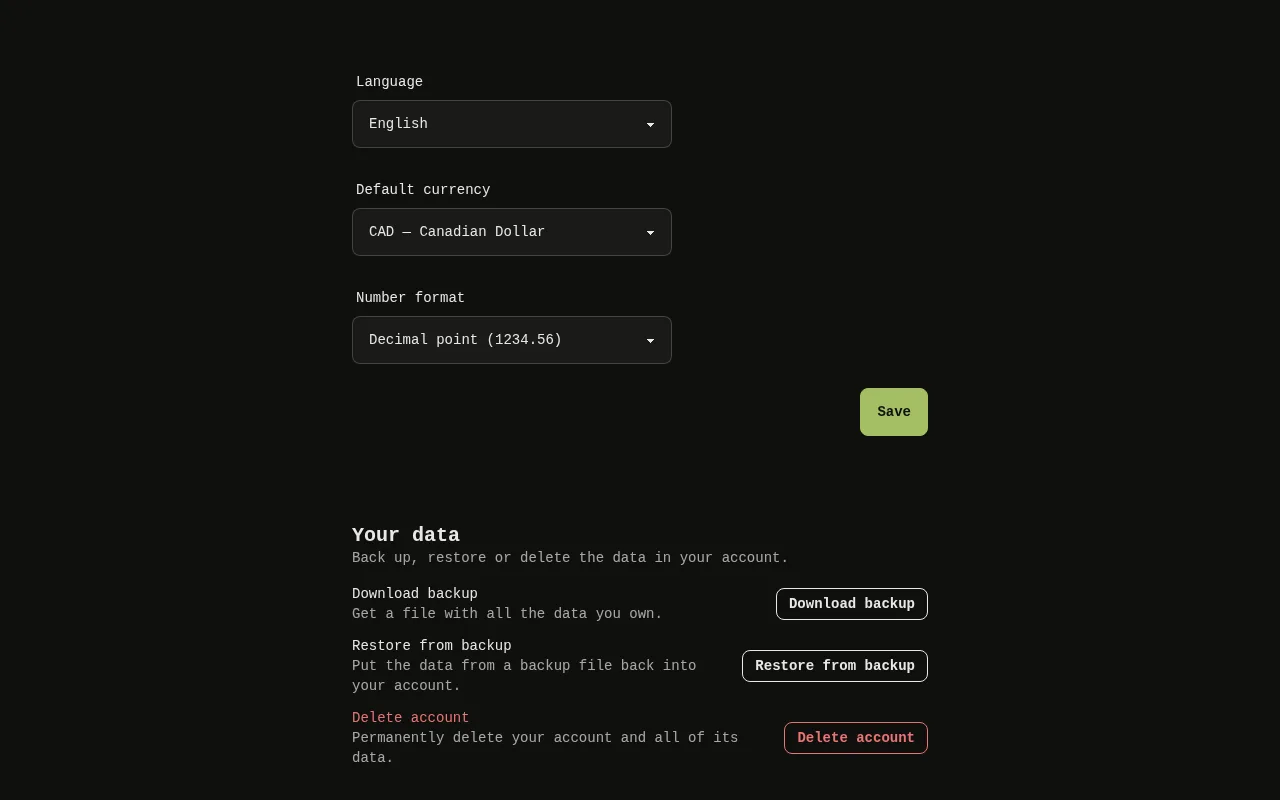
The Your data card on the Settings screen of the web app, with the Delete account button.The Your data card on the Settings screen of the web app, with the Delete account button.
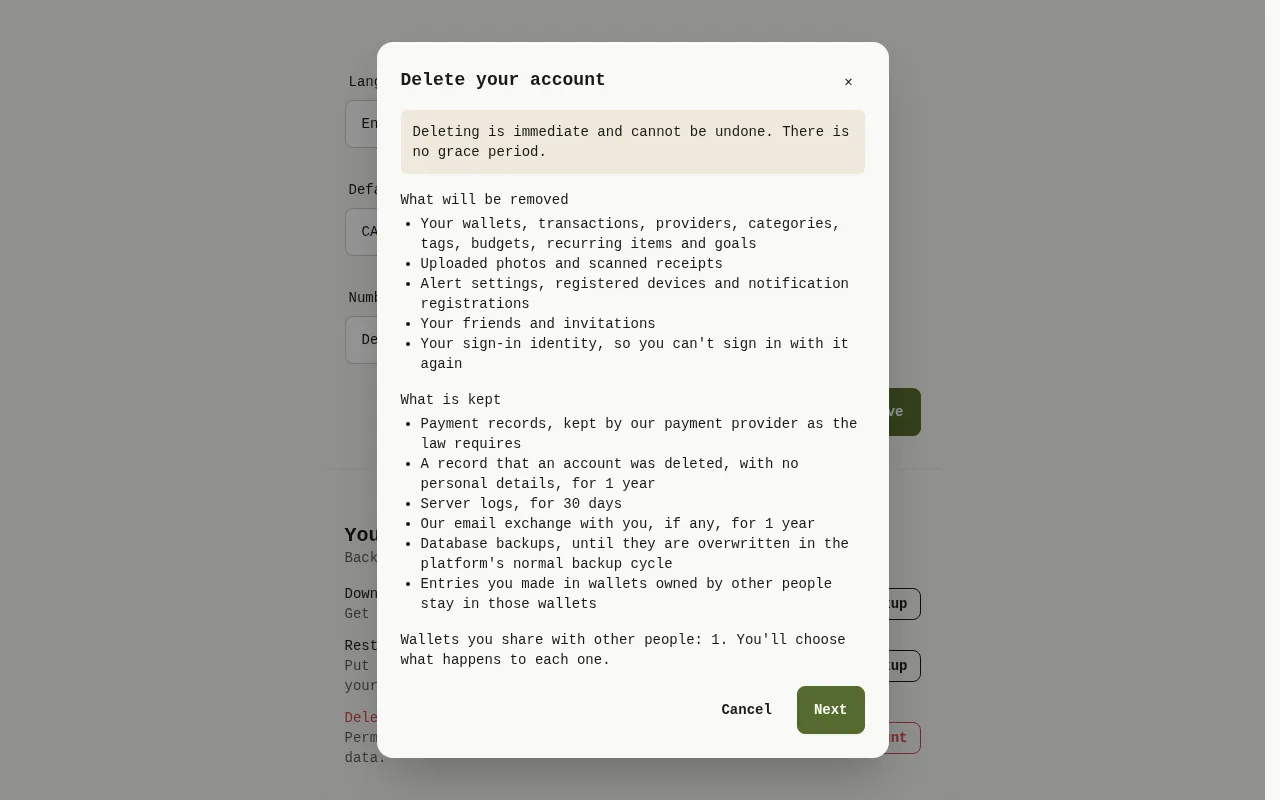
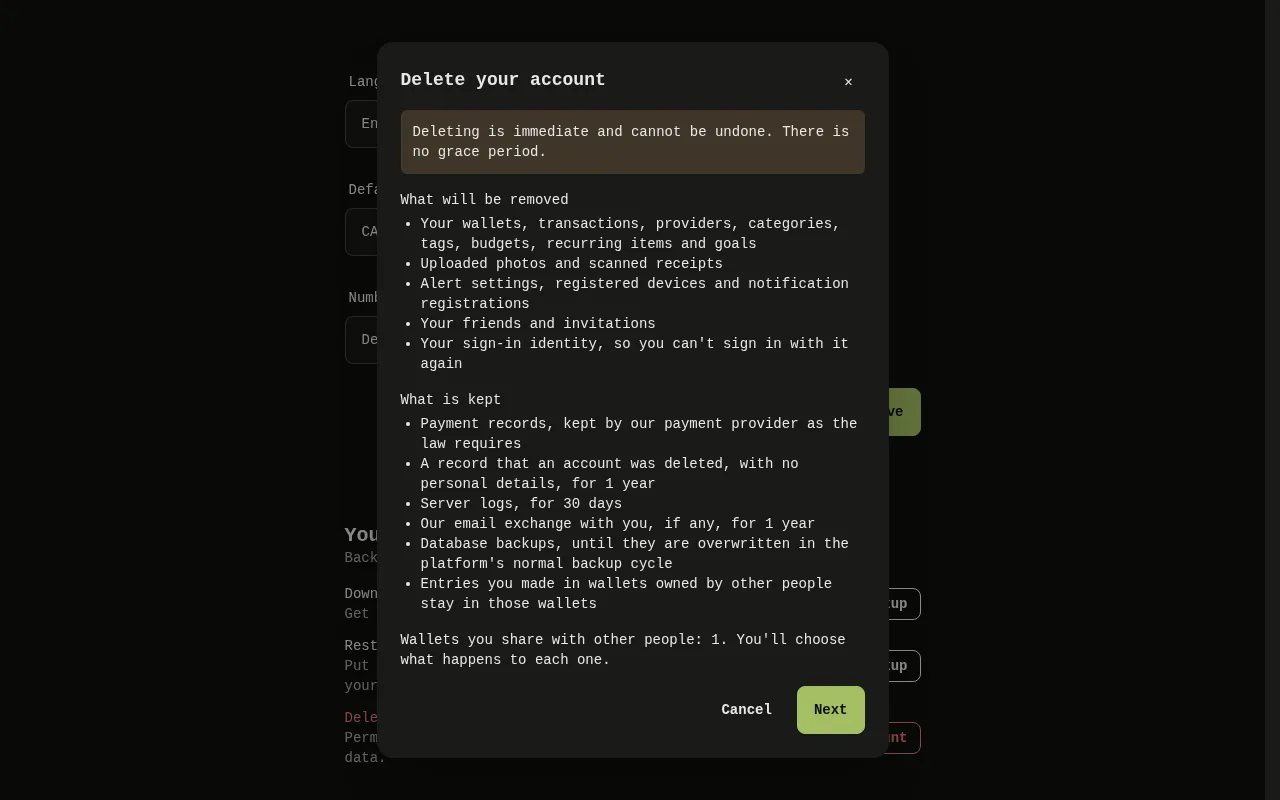
The Delete your account window of the web app: the line saying deletion is immediate, the list of what will be removed and the list of what is kept. 1: Read What will be removed and What is kept. The first line says that deleting is immediate. Select Next; 2: Read What will be removed and What is kept. The first line says that deleting is immediate. Select Next; 3: Read What will be removed and What is kept. The first line says that deleting is immediate. Select Next.The Delete your account window of the web app: the line saying deletion is immediate, the list of what will be removed and the list of what is kept. 1: Read What will be removed and What is kept. The first line says that deleting is immediate. Select Next; 2: Read What will be removed and What is kept. The first line says that deleting is immediate. Select Next; 3: Read What will be removed and What is kept. The first line says that deleting is immediate. Select Next.
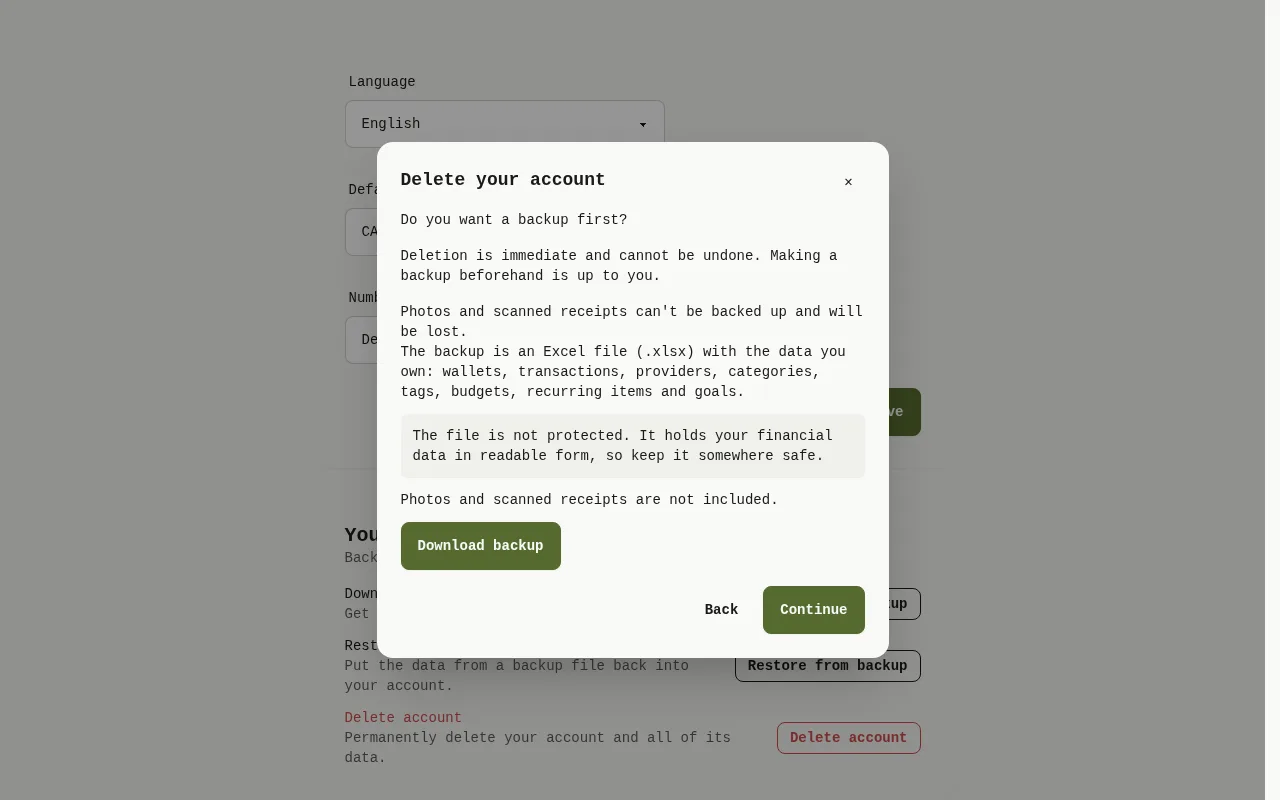
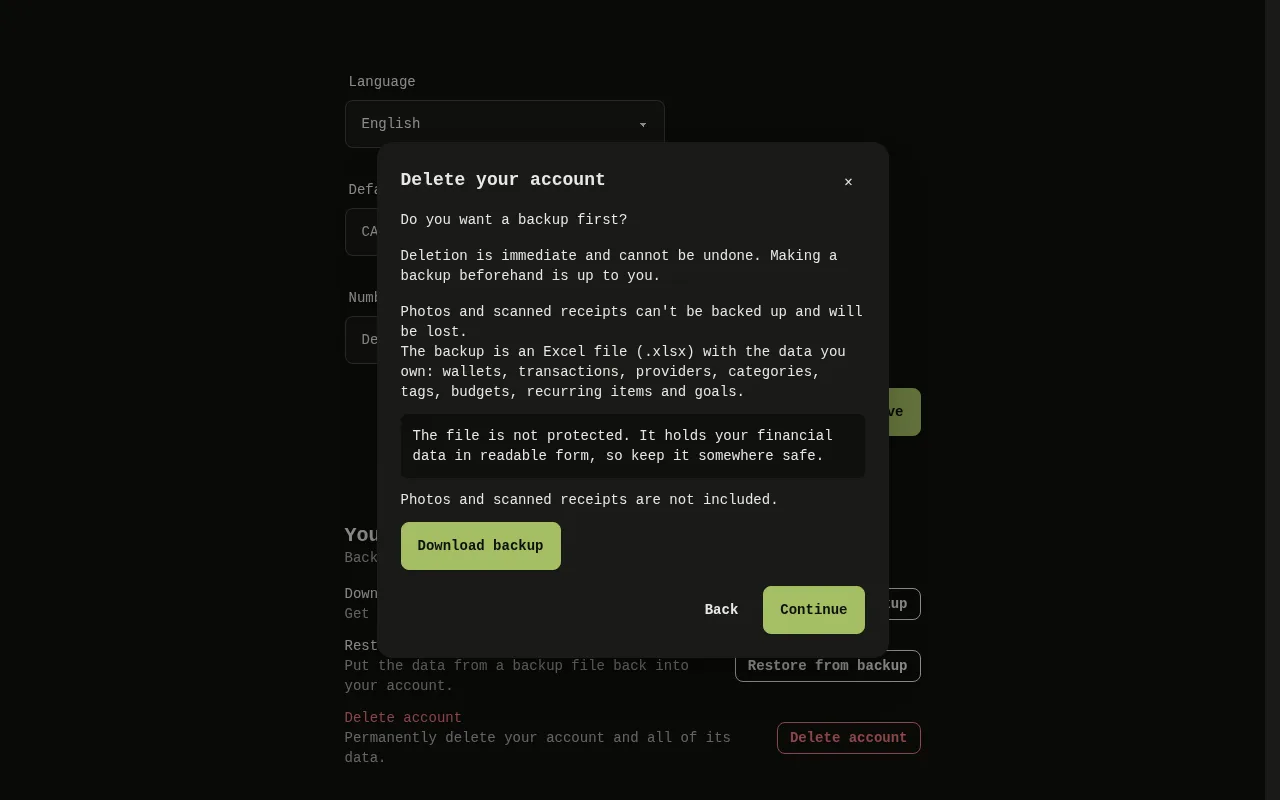
The window of the web app asking whether you want a backup first, with the Download backup and Continue buttons. 4: Do you want a backup first? says that making a backup is up to you and that photos and scanned receipts will be lost. Select Download backup to get your file, or Continue; 5: Do you want a backup first? says that making a backup is up to you and that photos and scanned receipts will be lost. Select Download backup to get your file, or Continue; 6: Do you want a backup first? says that making a backup is up to you and that photos and scanned receipts will be lost. Select Download backup to get your file, or Continue; 7: Do you want a backup first? says that making a backup is up to you and that photos and scanned receipts will be lost. Select Download backup to get your file, or Continue.The window of the web app asking whether you want a backup first, with the Download backup and Continue buttons. 4: Do you want a backup first? says that making a backup is up to you and that photos and scanned receipts will be lost. Select Download backup to get your file, or Continue; 5: Do you want a backup first? says that making a backup is up to you and that photos and scanned receipts will be lost. Select Download backup to get your file, or Continue; 6: Do you want a backup first? says that making a backup is up to you and that photos and scanned receipts will be lost. Select Download backup to get your file, or Continue; 7: Do you want a backup first? says that making a backup is up to you and that photos and scanned receipts will be lost. Select Download backup to get your file, or Continue.
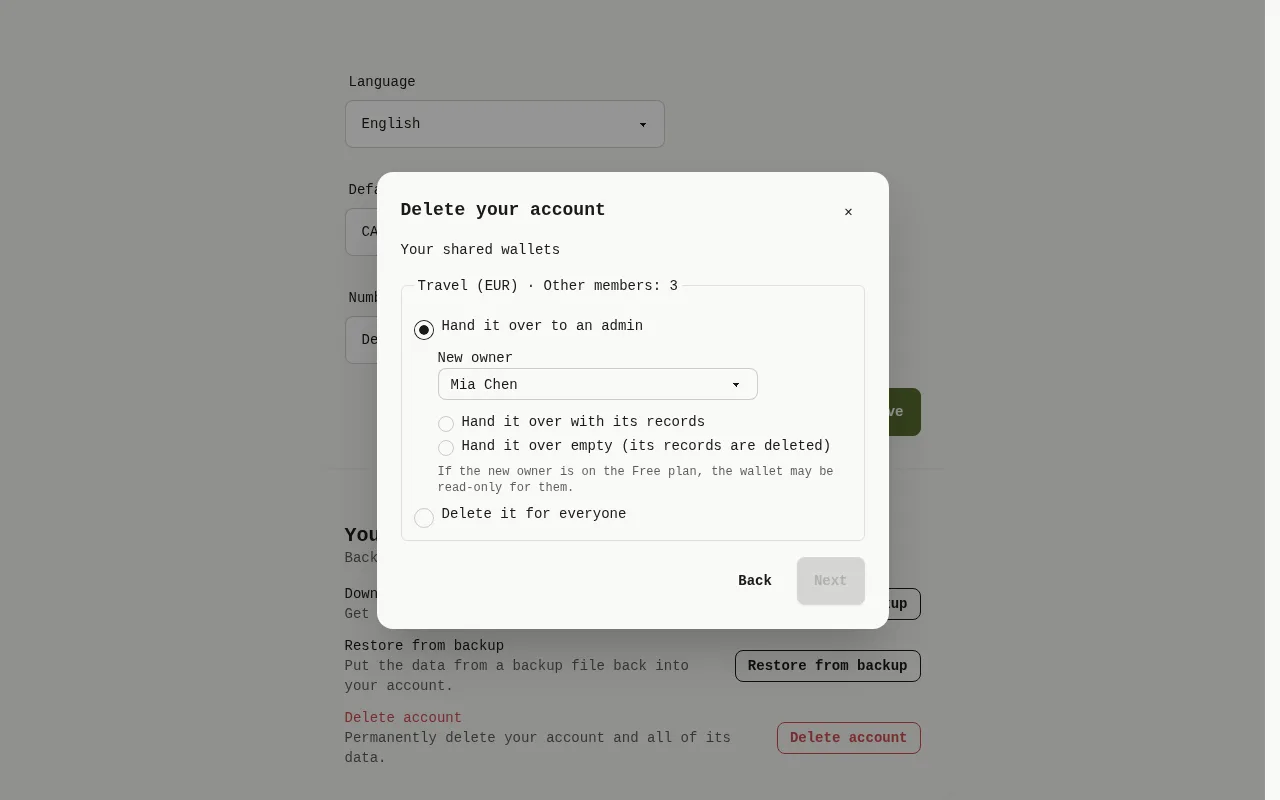
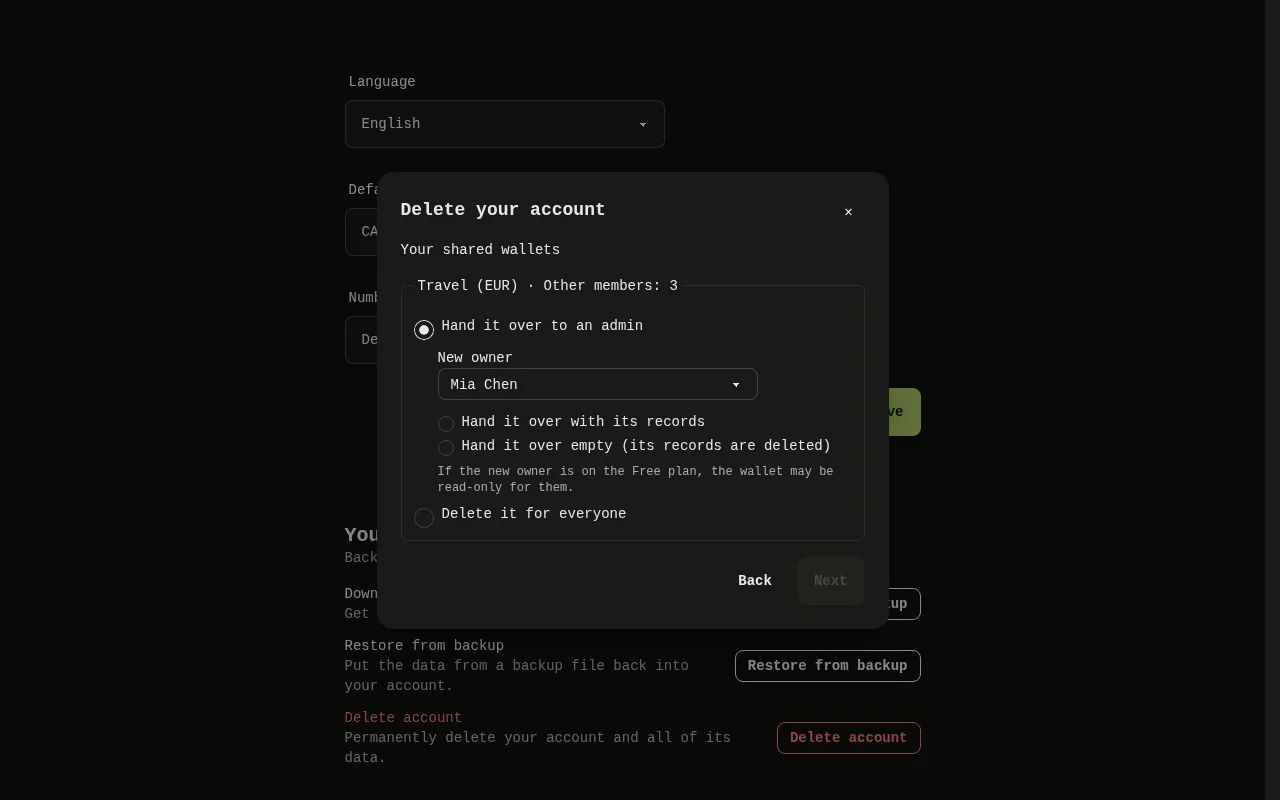
The Your shared wallets window of the web app, with the choices for each shared wallet and the Next button. 7: Do you want a backup first? says that making a backup is up to you and that photos and scanned receipts will be lost. Select Download backup to get your file, or Continue; 8: If you share wallets, Your shared wallets lists each one. For each, choose Hand it over to an admin (then Hand it over with its records or Hand it over empty (its records are deleted), and, if there are several admins, the New owner) or Delete it for everyone. Select Next.The Your shared wallets window of the web app, with the choices for each shared wallet and the Next button. 7: Do you want a backup first? says that making a backup is up to you and that photos and scanned receipts will be lost. Select Download backup to get your file, or Continue; 8: If you share wallets, Your shared wallets lists each one. For each, choose Hand it over to an admin (then Hand it over with its records or Hand it over empty (its records are deleted), and, if there are several admins, the New owner) or Delete it for everyone. Select Next.
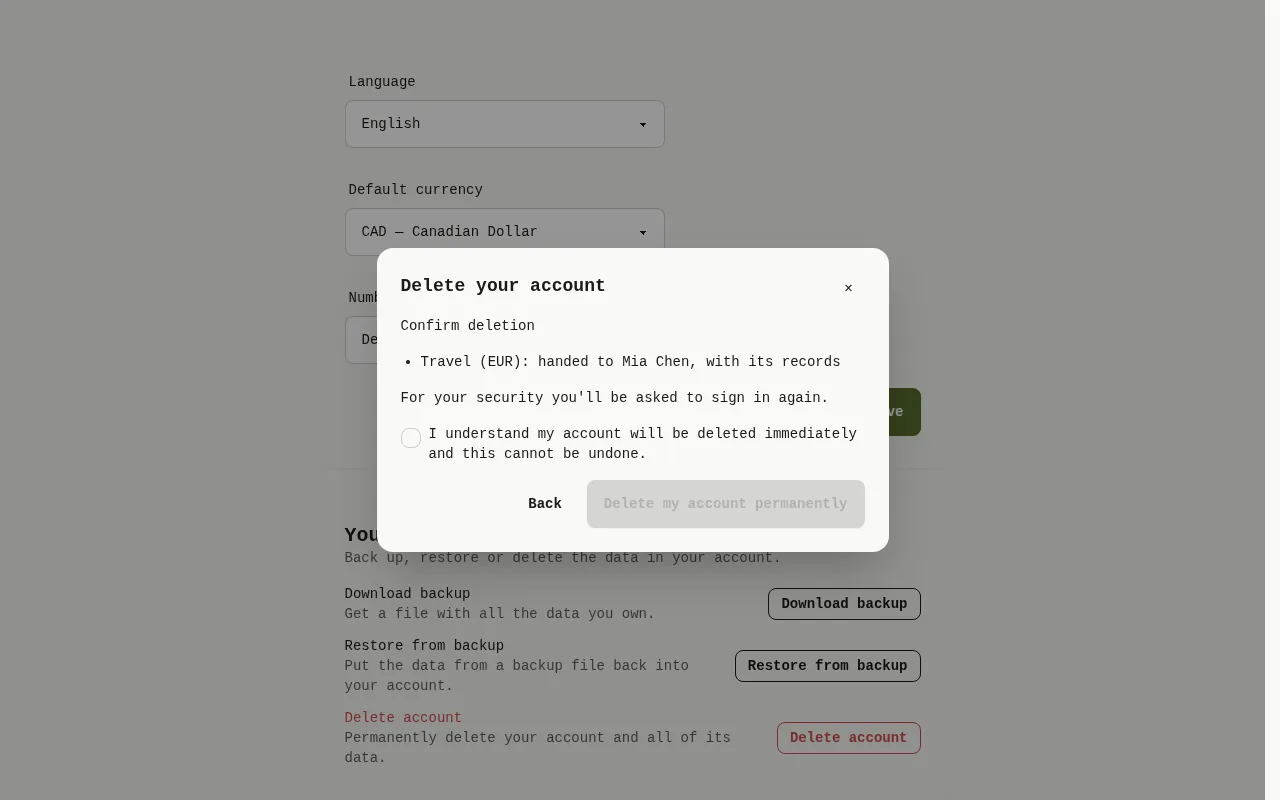
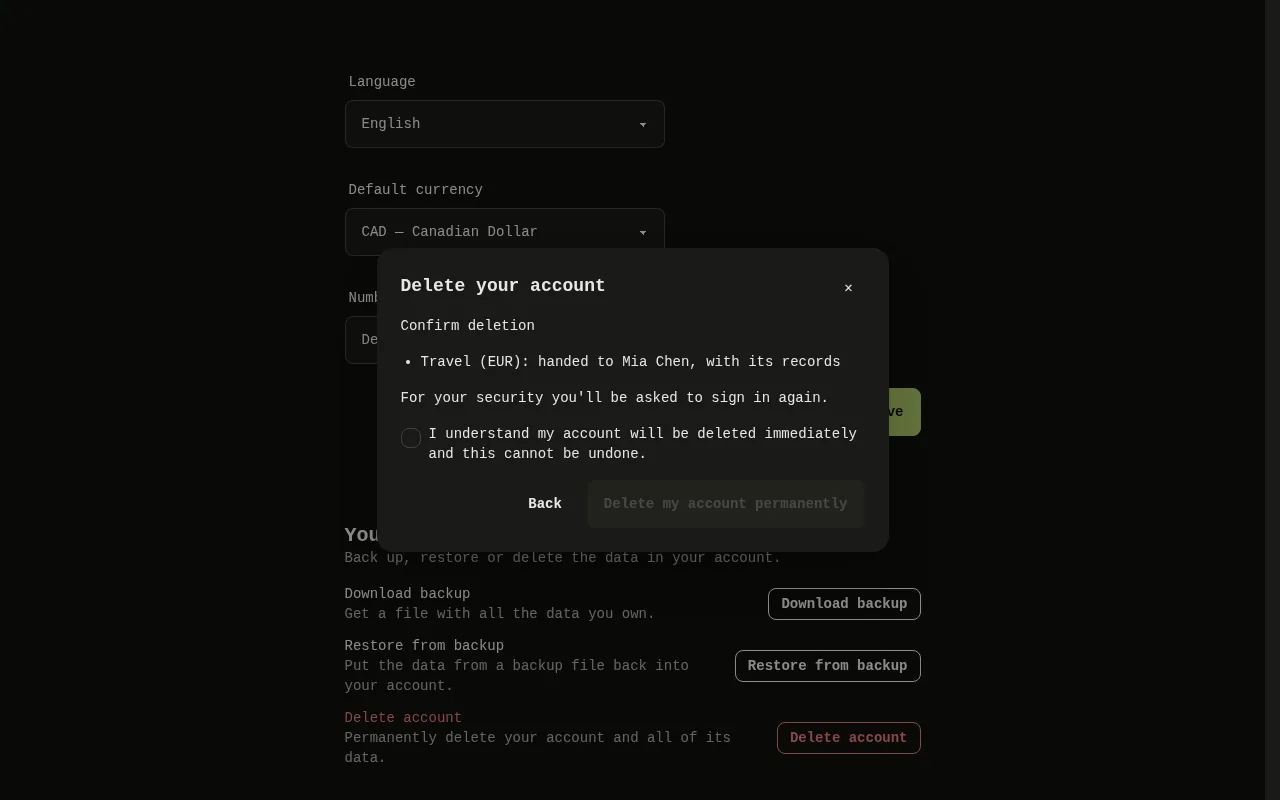
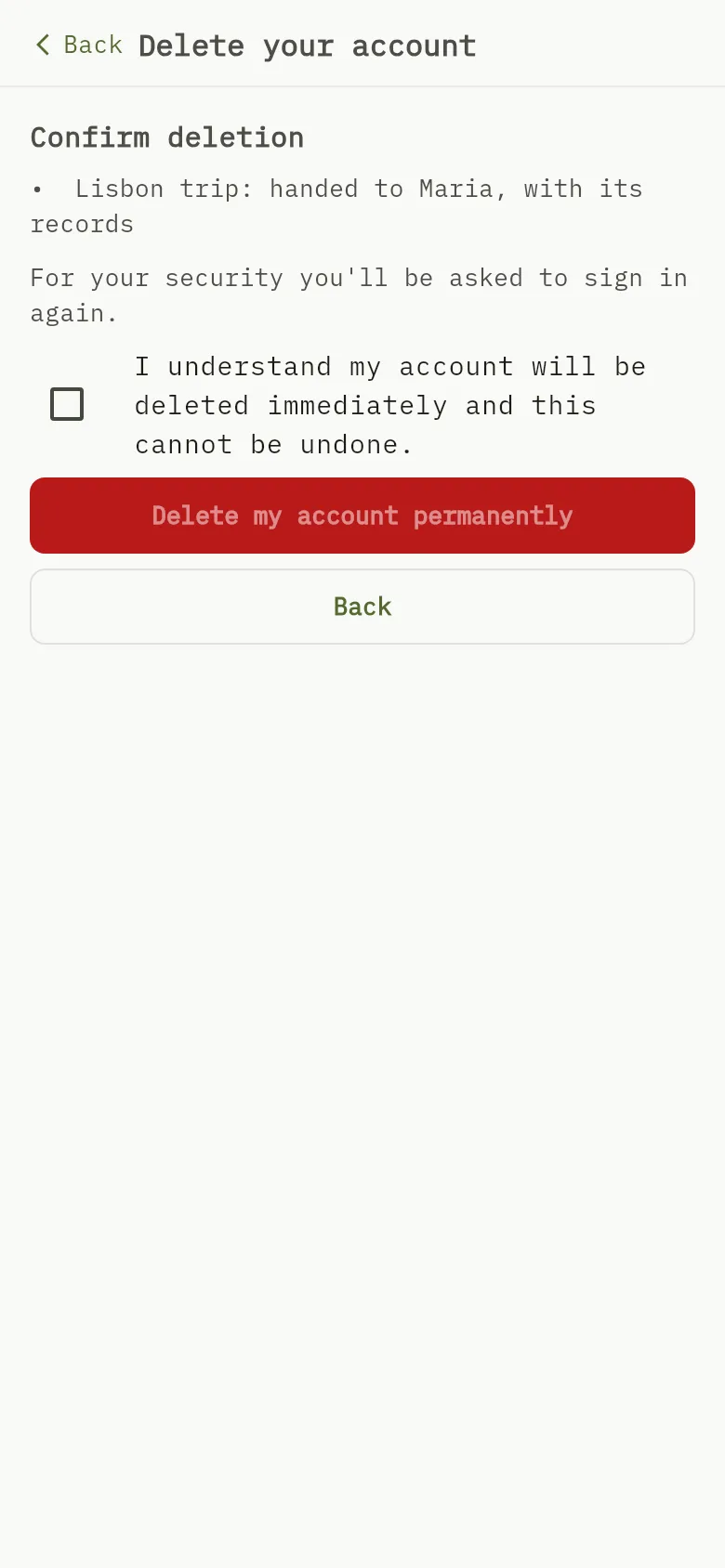
The Confirm deletion window of the web app, with the summary of your choices, the checkbox and the Delete my account permanently button. 9: Confirm deletion summarises what you chose. Tick I understand my account will be deleted immediately and this cannot be undone. and select Delete my account permanently. The app asks you to sign in again, then deletes the account; 10: Confirm deletion summarises what you chose. Tick I understand my account will be deleted immediately and this cannot be undone. and select Delete my account permanently. The app asks you to sign in again, then deletes the account; 11: Confirm deletion summarises what you chose. Tick I understand my account will be deleted immediately and this cannot be undone. and select Delete my account permanently. The app asks you to sign in again, then deletes the account.The Confirm deletion window of the web app, with the summary of your choices, the checkbox and the Delete my account permanently button. 9: Confirm deletion summarises what you chose. Tick I understand my account will be deleted immediately and this cannot be undone. and select Delete my account permanently. The app asks you to sign in again, then deletes the account; 10: Confirm deletion summarises what you chose. Tick I understand my account will be deleted immediately and this cannot be undone. and select Delete my account permanently. The app asks you to sign in again, then deletes the account; 11: Confirm deletion summarises what you chose. Tick I understand my account will be deleted immediately and this cannot be undone. and select Delete my account permanently. The app asks you to sign in again, then deletes the account.
  1. Select Settings, then in the Your data card select Delete account. The Delete your account window opens.
  2. Read What will be removed Marker 1 and What is kept Marker 2. The first line says that deleting is immediate Marker 3. Select Next.
  3. Do you want a backup first? says that making a backup is up to you Marker 4 and that photos and scanned receipts will be lost Marker 5. Select Download backup Marker 6 to get your file, or Continue Marker 7.
  4. If you share wallets, Your shared wallets lists each one Marker 8. For each, choose Hand it over to an admin (then Hand it over with its records or Hand it over empty (its records are deleted), and, if there are several admins, the New owner) or Delete it for everyone. Select Next Marker 7.
  5. Confirm deletion summarises what you chose Marker 9. Tick I understand my account will be deleted immediately and this cannot be undone. Marker 10 and select Delete my account permanently Marker 11. The app asks you to sign in again, then deletes the account.

Mobile
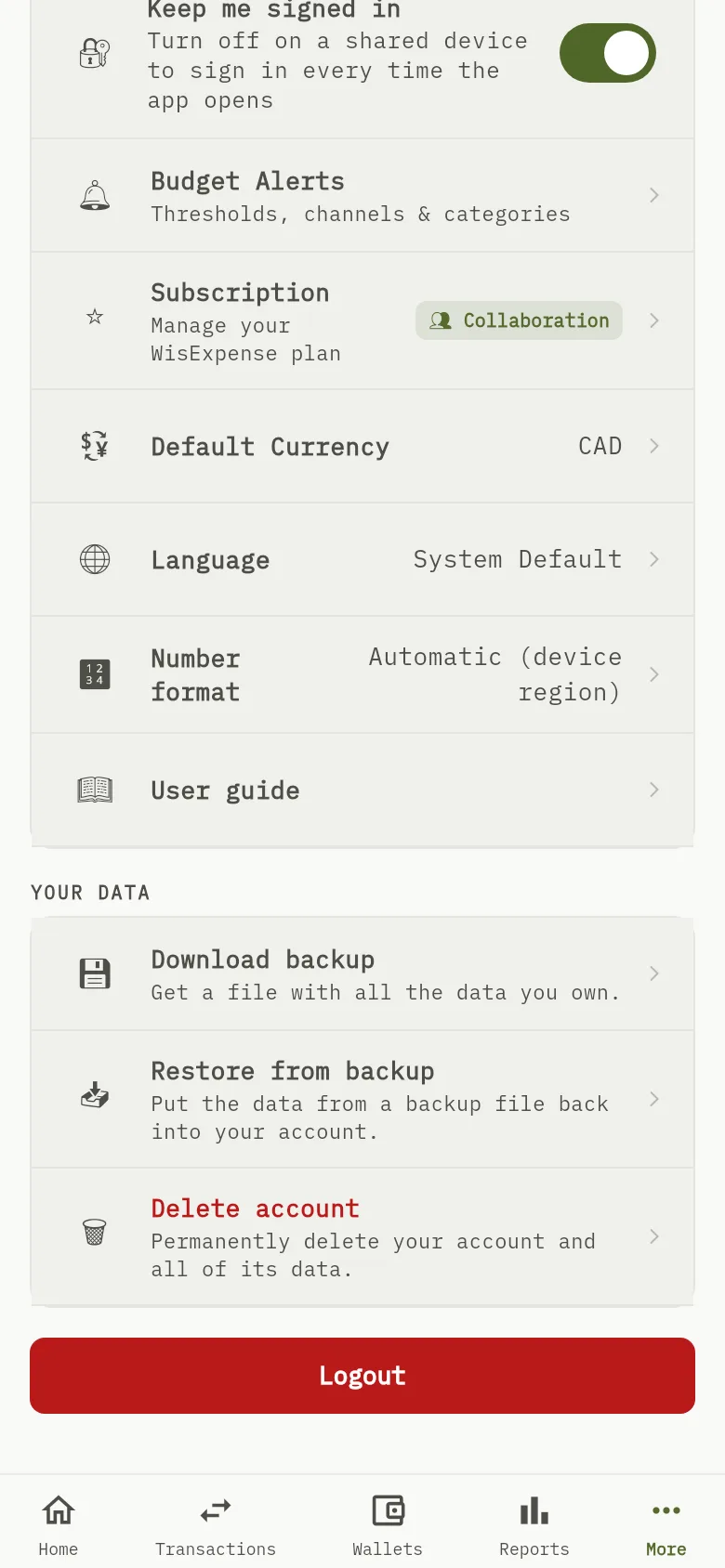
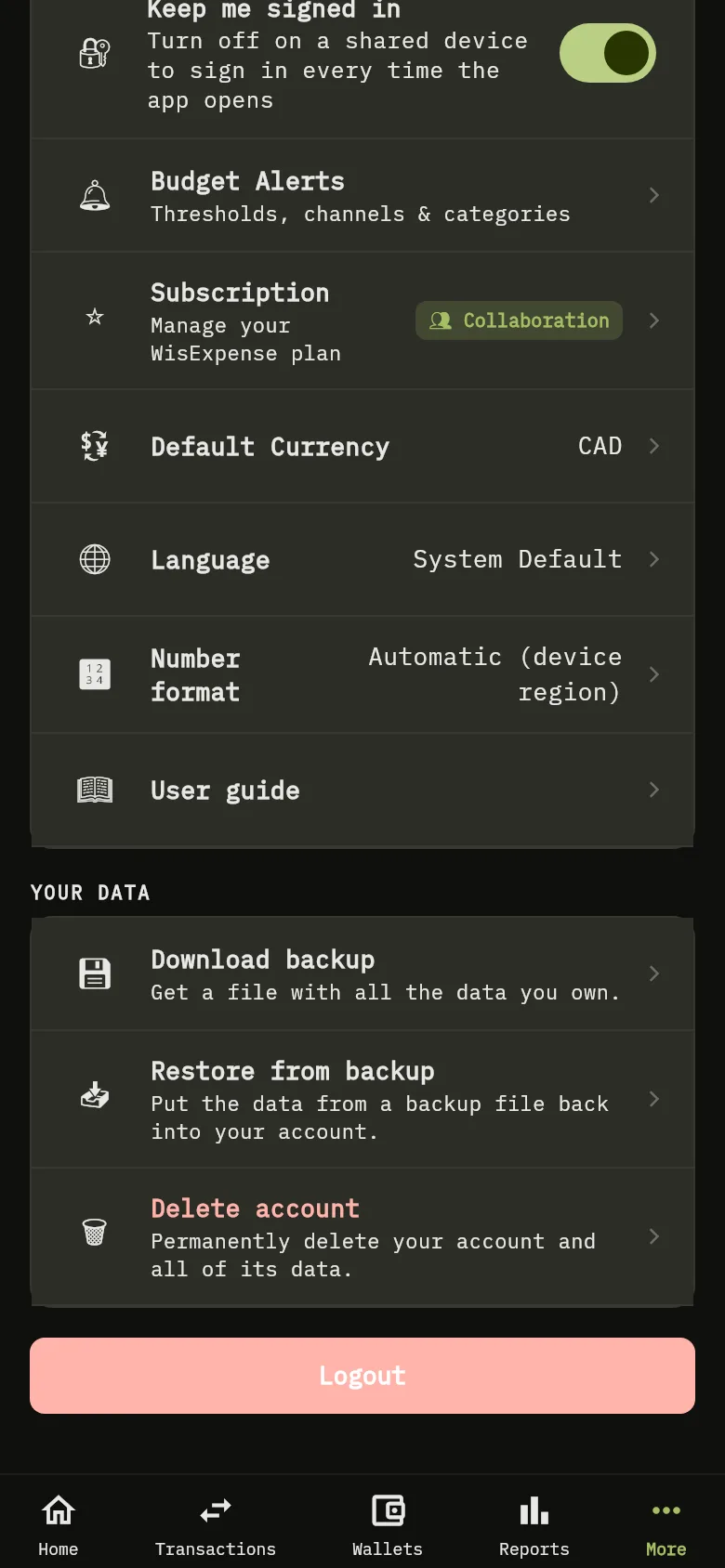
The Your data section of the More screen of the mobile app, with the Delete account row.The Your data section of the More screen of the mobile app, with the Delete account row.
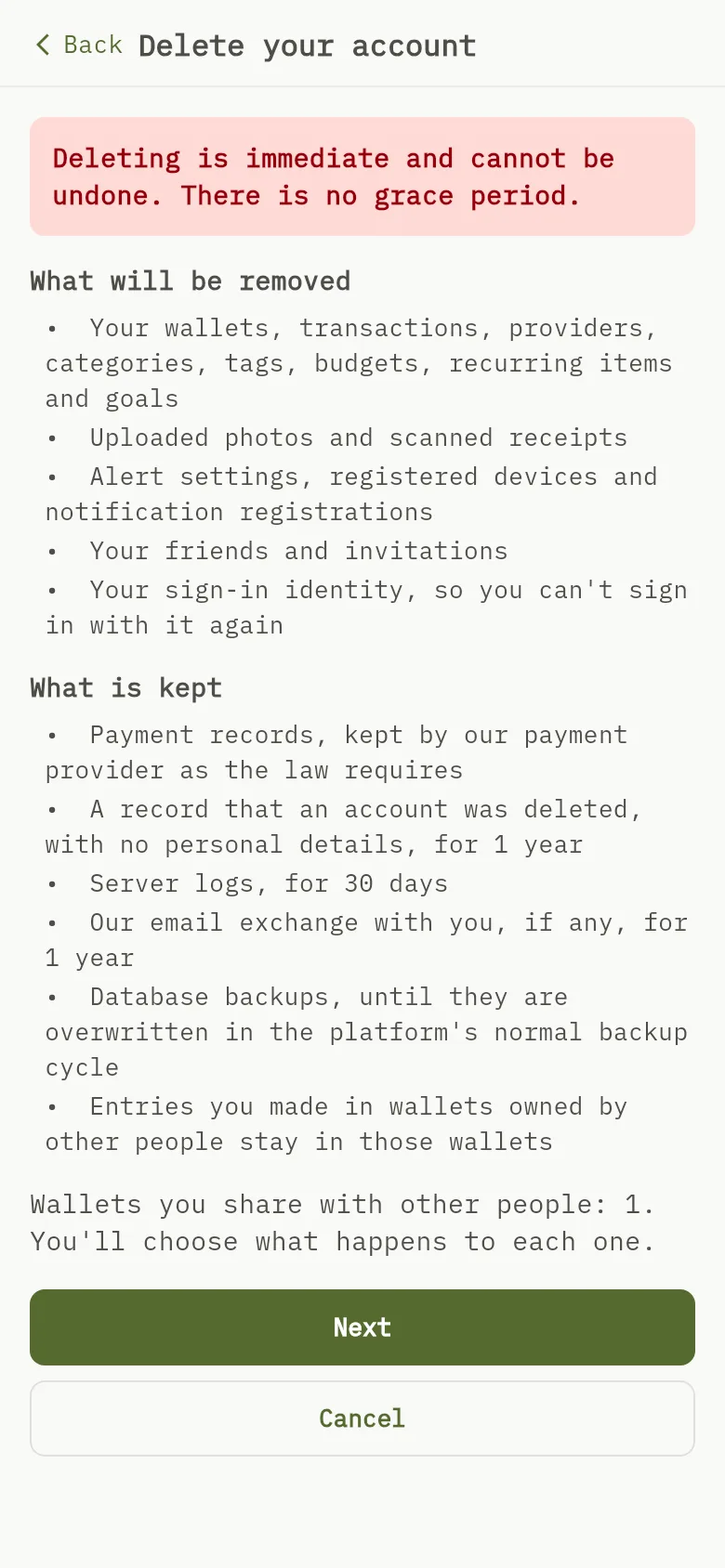
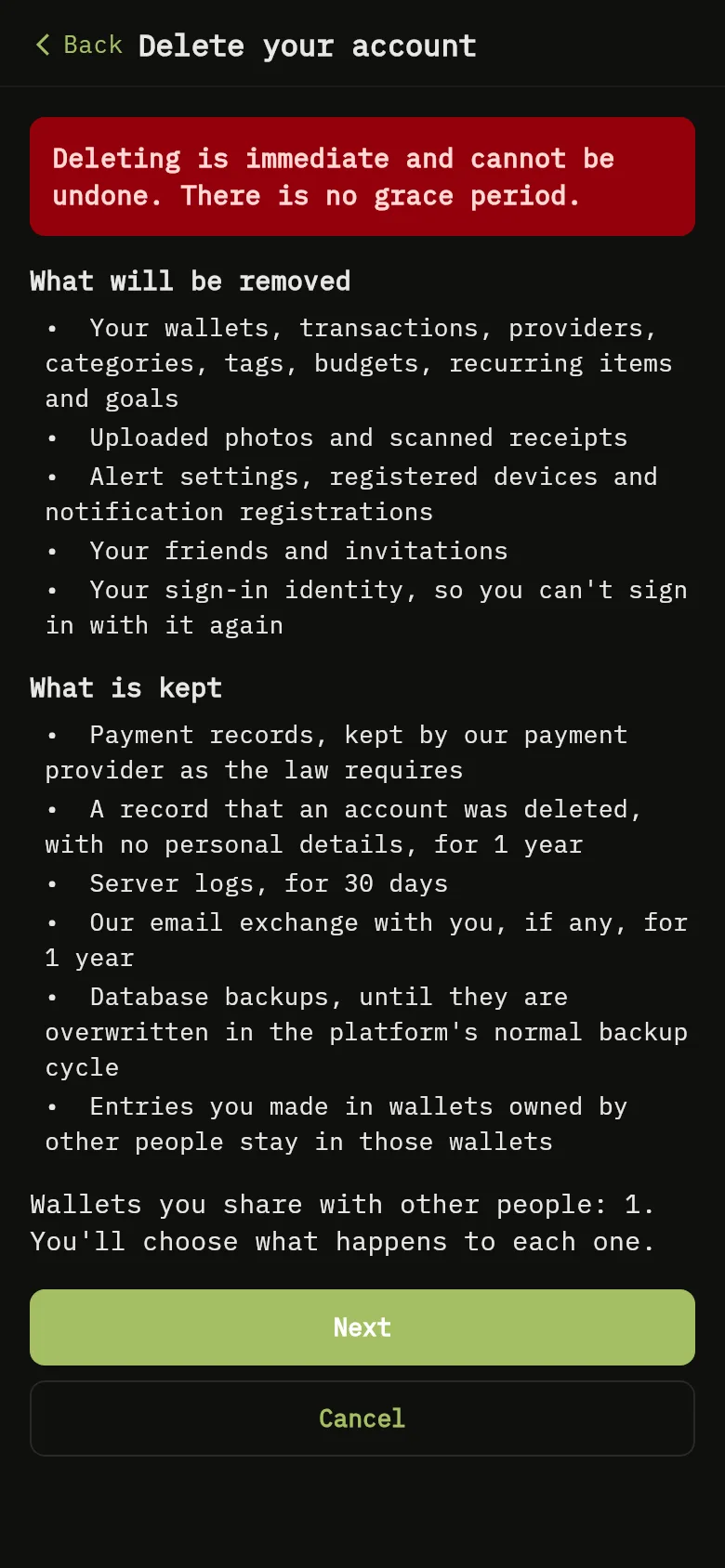
The Delete your account screen of the mobile app: the line saying deletion is immediate, the list of what will be removed and the list of what is kept. 1: Read What will be removed and What is kept. The first line says that deleting is immediate. Tap Next; 2: Read What will be removed and What is kept. The first line says that deleting is immediate. Tap Next; 3: Read What will be removed and What is kept. The first line says that deleting is immediate. Tap Next.The Delete your account screen of the mobile app: the line saying deletion is immediate, the list of what will be removed and the list of what is kept. 1: Read What will be removed and What is kept. The first line says that deleting is immediate. Tap Next; 2: Read What will be removed and What is kept. The first line says that deleting is immediate. Tap Next; 3: Read What will be removed and What is kept. The first line says that deleting is immediate. Tap Next.
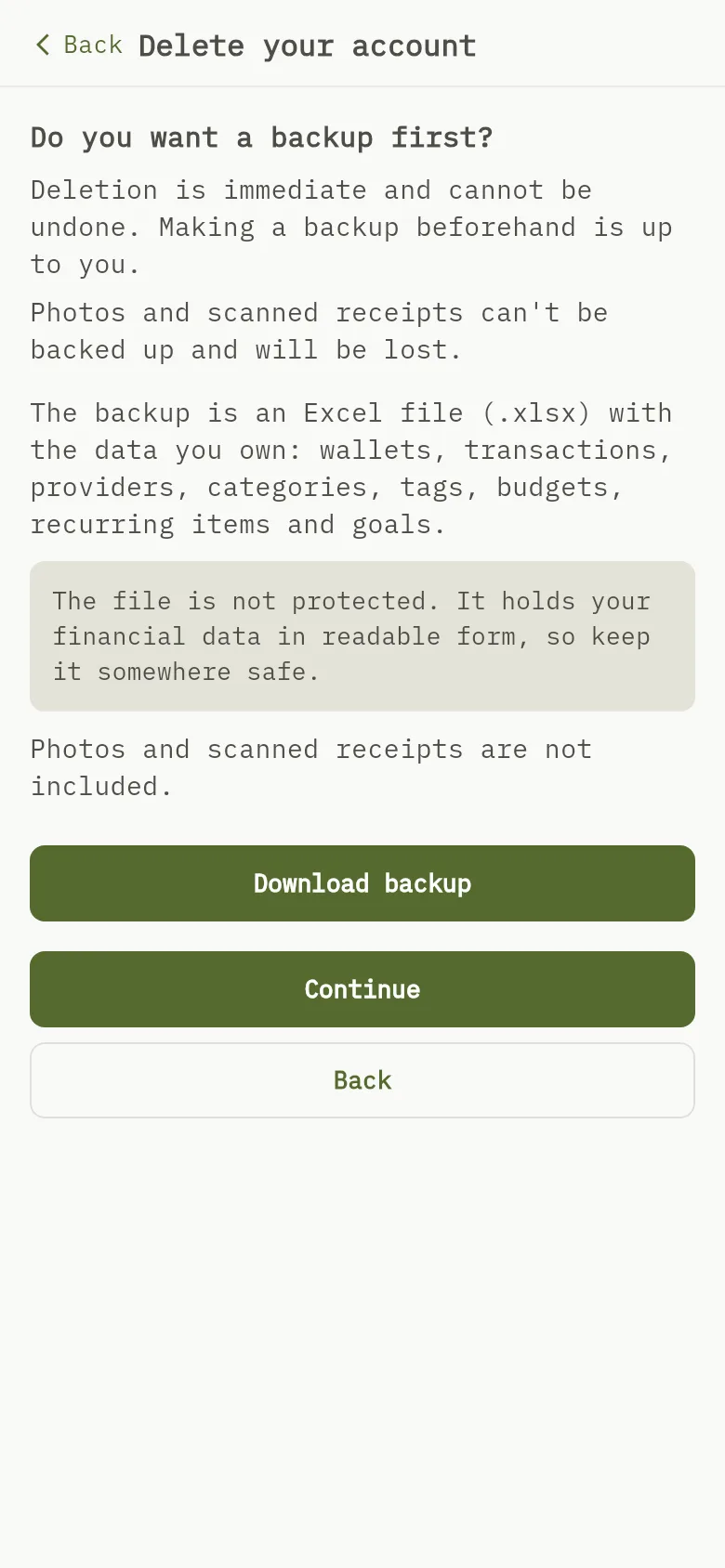
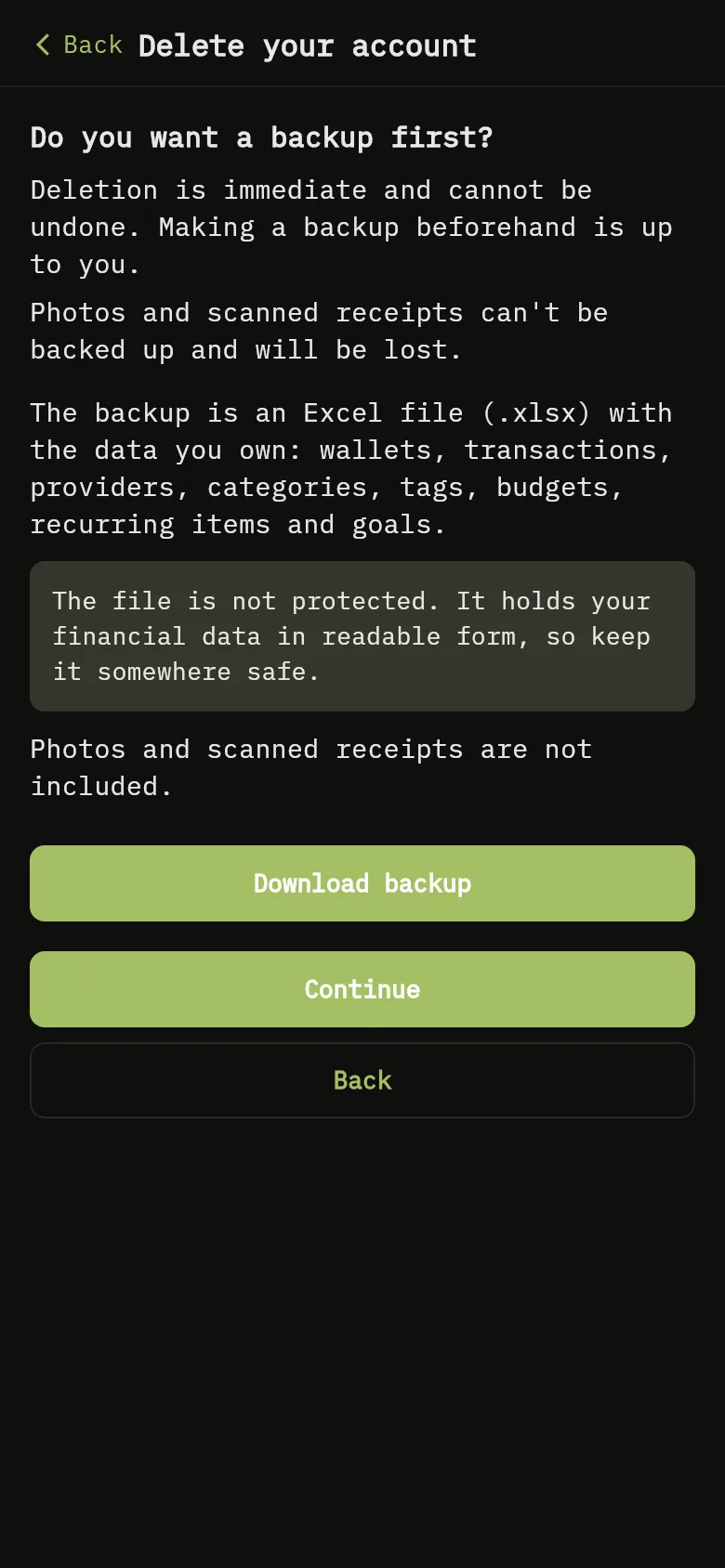
The screen of the mobile app asking whether you want a backup first, with the Download backup and Continue buttons. 4: Do you want a backup first? says that making a backup is up to you and that photos and scanned receipts will be lost. Tap Download backup to get your file, or Continue; 5: Do you want a backup first? says that making a backup is up to you and that photos and scanned receipts will be lost. Tap Download backup to get your file, or Continue; 6: Do you want a backup first? says that making a backup is up to you and that photos and scanned receipts will be lost. Tap Download backup to get your file, or Continue; 7: Do you want a backup first? says that making a backup is up to you and that photos and scanned receipts will be lost. Tap Download backup to get your file, or Continue.The screen of the mobile app asking whether you want a backup first, with the Download backup and Continue buttons. 4: Do you want a backup first? says that making a backup is up to you and that photos and scanned receipts will be lost. Tap Download backup to get your file, or Continue; 5: Do you want a backup first? says that making a backup is up to you and that photos and scanned receipts will be lost. Tap Download backup to get your file, or Continue; 6: Do you want a backup first? says that making a backup is up to you and that photos and scanned receipts will be lost. Tap Download backup to get your file, or Continue; 7: Do you want a backup first? says that making a backup is up to you and that photos and scanned receipts will be lost. Tap Download backup to get your file, or Continue.
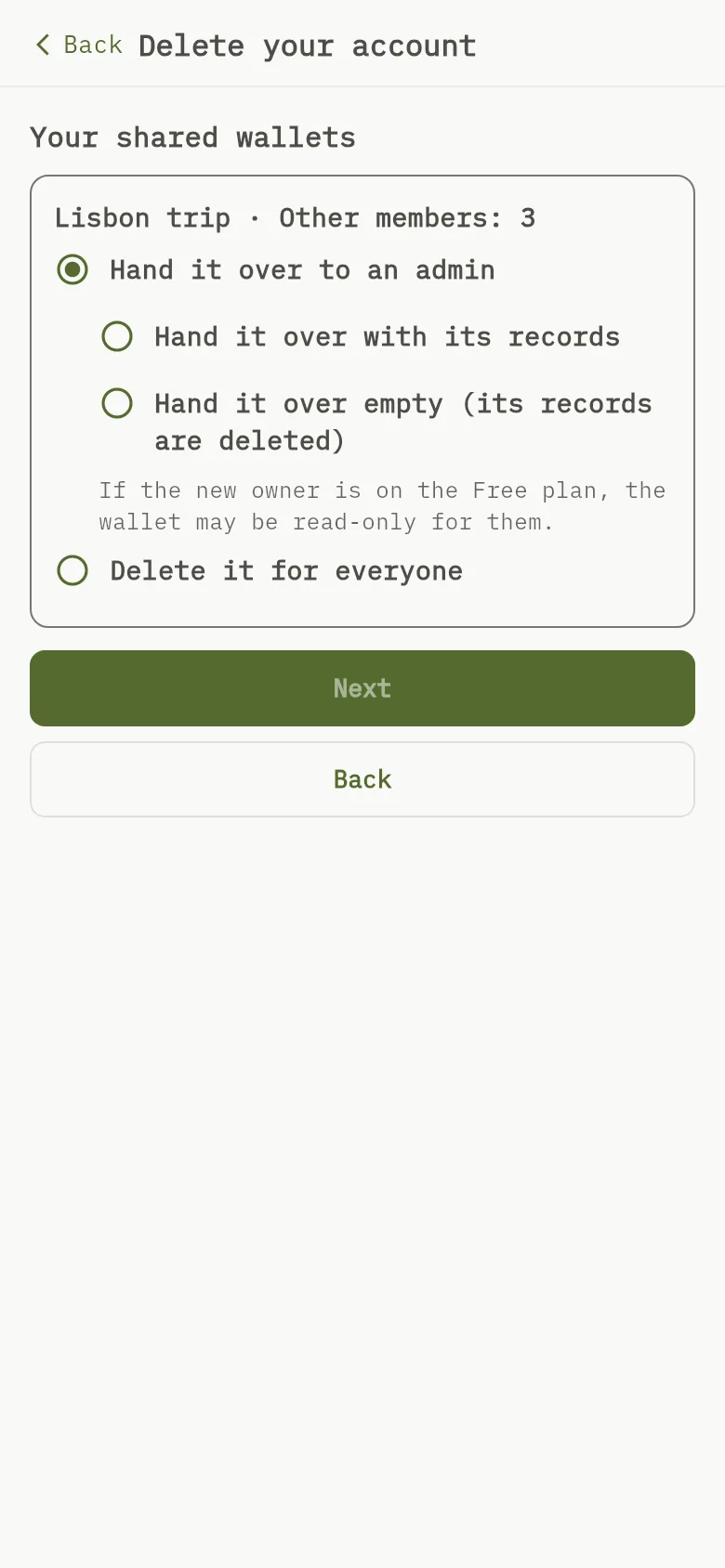
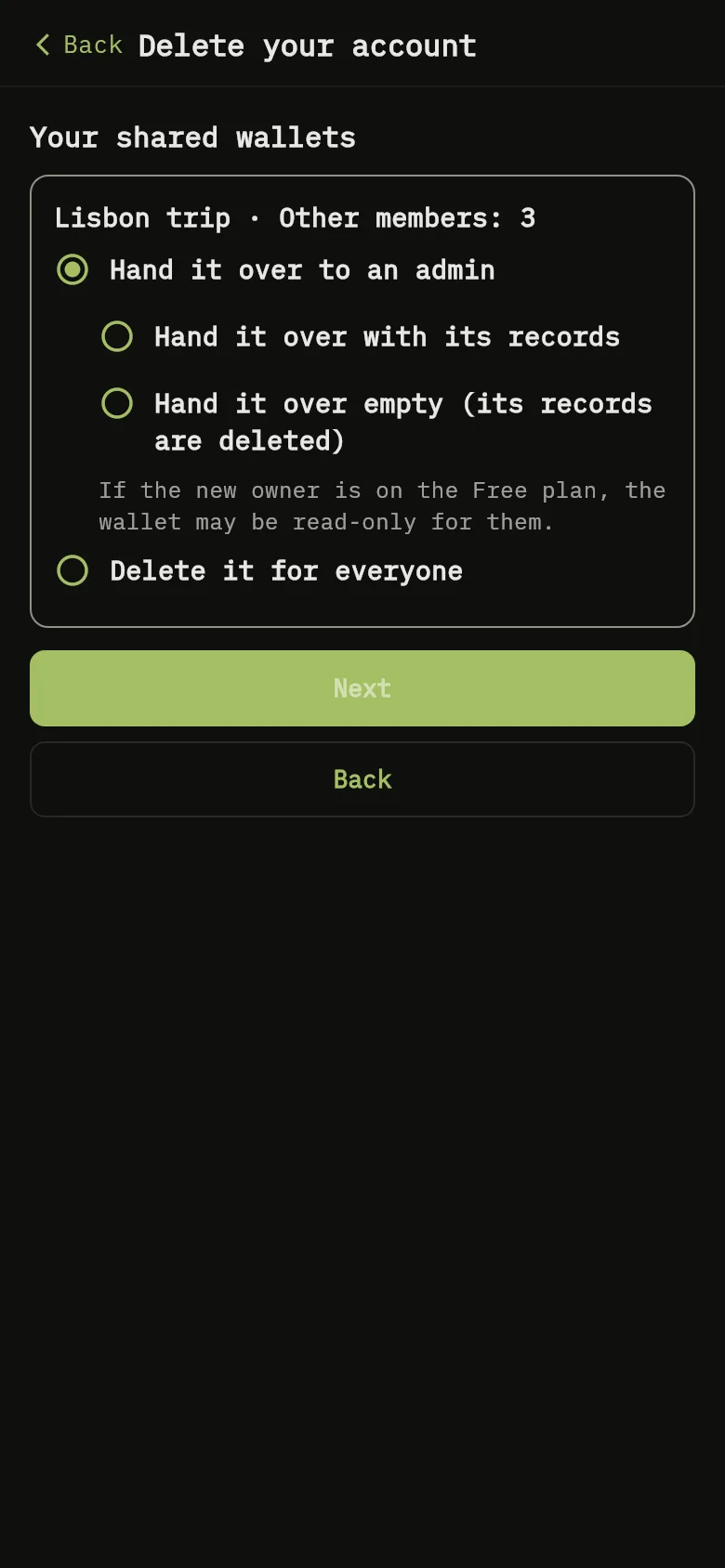
The Your shared wallets screen of the mobile app, with the choices for each shared wallet and the Next button. 7: Do you want a backup first? says that making a backup is up to you and that photos and scanned receipts will be lost. Tap Download backup to get your file, or Continue; 8: If you share wallets, Your shared wallets lists each one. For each, choose Hand it over to an admin (then Hand it over with its records or Hand it over empty (its records are deleted), and, if there are several admins, the New owner) or Delete it for everyone. Tap Next.The Your shared wallets screen of the mobile app, with the choices for each shared wallet and the Next button. 7: Do you want a backup first? says that making a backup is up to you and that photos and scanned receipts will be lost. Tap Download backup to get your file, or Continue; 8: If you share wallets, Your shared wallets lists each one. For each, choose Hand it over to an admin (then Hand it over with its records or Hand it over empty (its records are deleted), and, if there are several admins, the New owner) or Delete it for everyone. Tap Next.
The Confirm deletion screen of the mobile app, with the summary of your choices, the checkbox and the Delete my account permanently button. 9: Confirm deletion summarises what you chose. Tick I understand my account will be deleted immediately and this cannot be undone. and tap Delete my account permanently. The app asks you to sign in again, then deletes the account; 10: Confirm deletion summarises what you chose. Tick I understand my account will be deleted immediately and this cannot be undone. and tap Delete my account permanently. The app asks you to sign in again, then deletes the account; 11: Confirm deletion summarises what you chose. Tick I understand my account will be deleted immediately and this cannot be undone. and tap Delete my account permanently. The app asks you to sign in again, then deletes the account.The Confirm deletion screen of the mobile app, with the summary of your choices, the checkbox and the Delete my account permanently button. 9: Confirm deletion summarises what you chose. Tick I understand my account will be deleted immediately and this cannot be undone. and tap Delete my account permanently. The app asks you to sign in again, then deletes the account; 10: Confirm deletion summarises what you chose. Tick I understand my account will be deleted immediately and this cannot be undone. and tap Delete my account permanently. The app asks you to sign in again, then deletes the account; 11: Confirm deletion summarises what you chose. Tick I understand my account will be deleted immediately and this cannot be undone. and tap Delete my account permanently. The app asks you to sign in again, then deletes the account.
  1. Tap More, scroll to Your data and tap Delete account. The Delete your account screen opens.
  2. Read What will be removed Marker 1 and What is kept Marker 2. The first line says that deleting is immediate Marker 3. Tap Next.
  3. Do you want a backup first? says that making a backup is up to you Marker 4 and that photos and scanned receipts will be lost Marker 5. Tap Download backup Marker 6 to get your file, or Continue Marker 7.
  4. If you share wallets, Your shared wallets lists each one Marker 8. For each, choose Hand it over to an admin (then Hand it over with its records or Hand it over empty (its records are deleted), and, if there are several admins, the New owner) or Delete it for everyone. Tap Next Marker 7.
  5. Confirm deletion summarises what you chose Marker 9. Tick I understand my account will be deleted immediately and this cannot be undone. Marker 10 and tap Delete my account permanently Marker 11. The app asks you to sign in again, then deletes the account.

Warning

Deleting removes your data, your uploaded photos and scanned receipts, your friends and invitations, and your sign-in identity. Entries you made in wallets owned by other people stay in those wallets. A wallet with admins can’t be deleted for everyone: hand it over, or first remove its admins’ access.

What you see

Your account has been deleted. You are signed out on this device and on every other device. If something goes wrong while finishing, the app asks you to contact support, who will complete it. Payment records are kept by our payment provider as the law requires, and a record that an account was deleted, with no personal details, is kept for 1 year.

Back up your data, Stop sharing, Change your plan.