
Features
Everything WisExpense does to keep your spending, budgets and shared costs clear, in every currency you use.
Multi-currency wallets and transactions
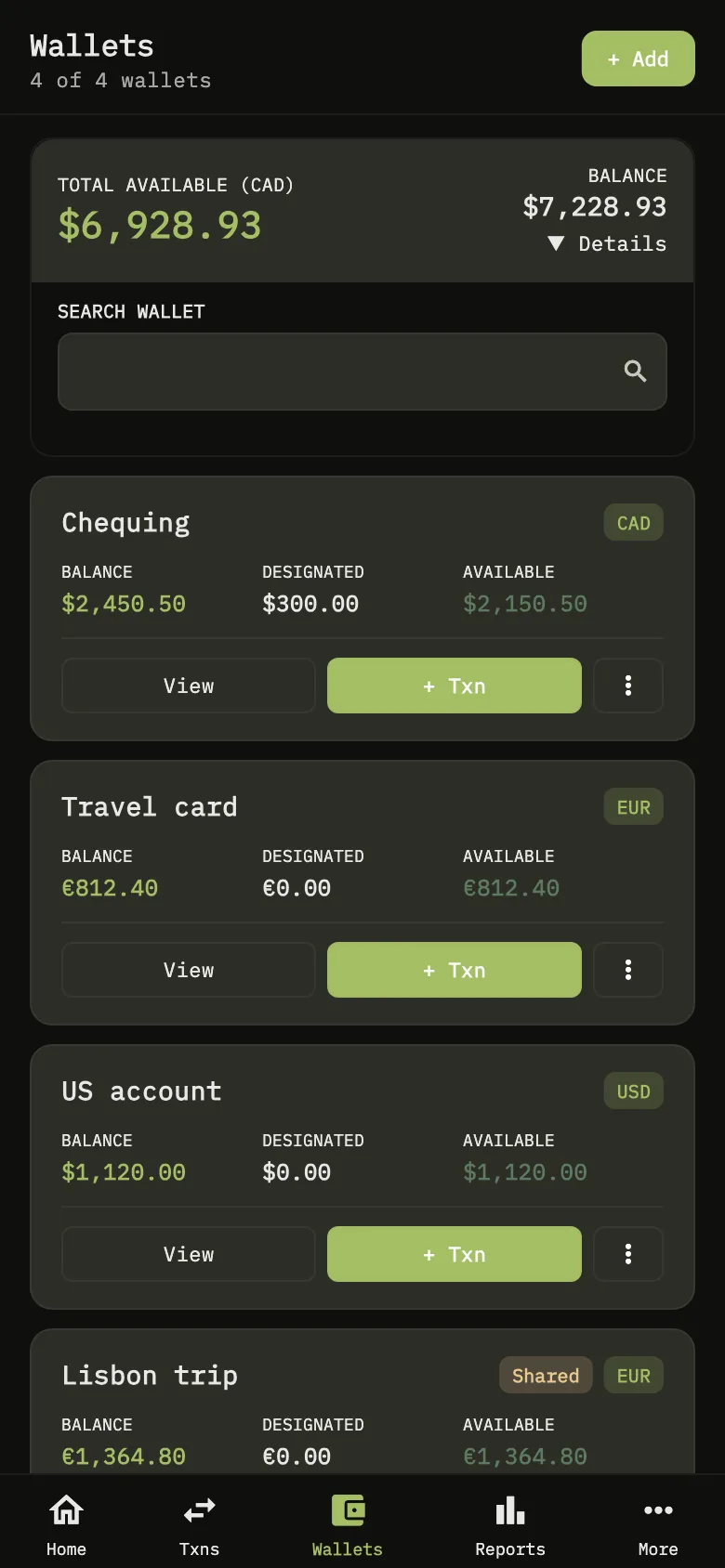
Keep a wallet for each account, card or cash pot, each in its own currency. Record expenses, income and transfers in any currency, and see totals converted to the currency you choose.
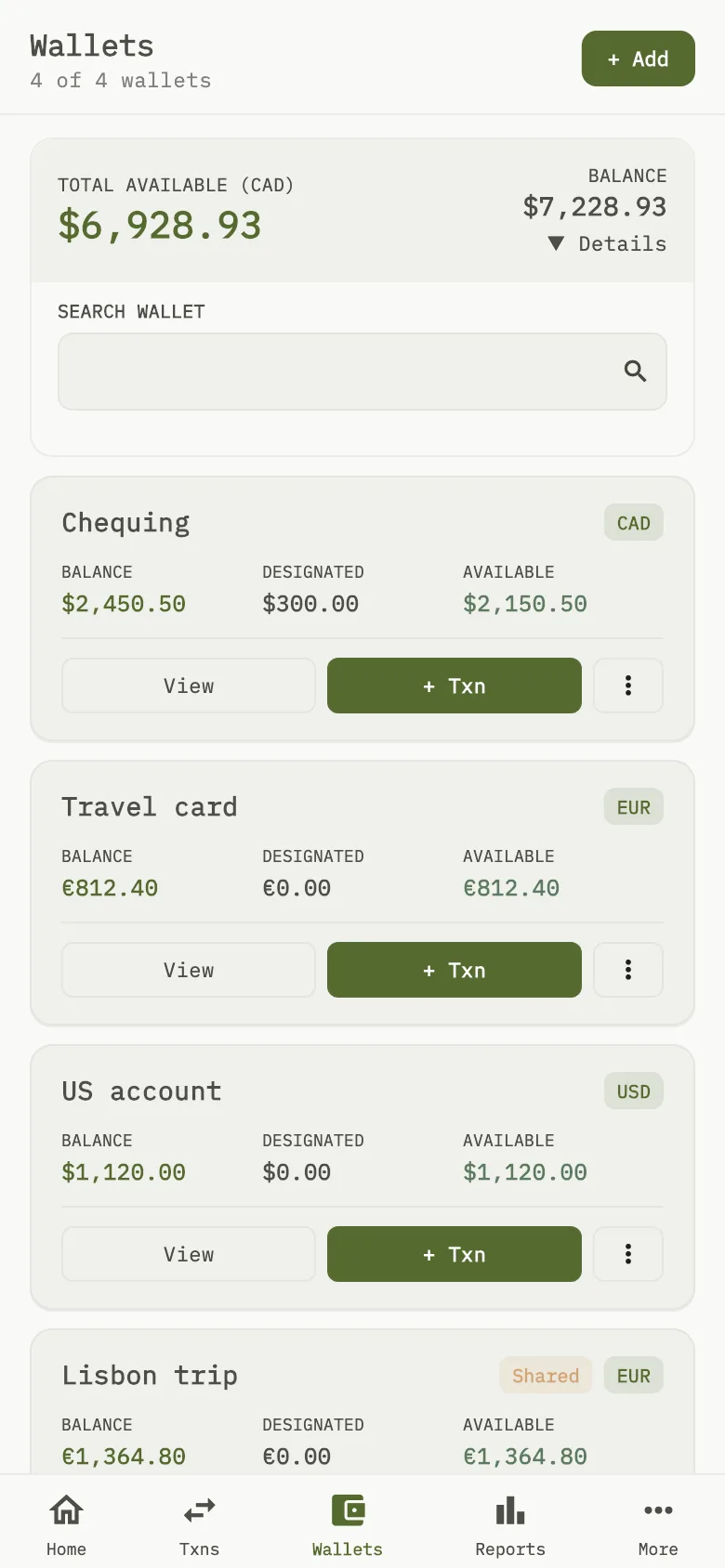
Every wallet in its own currency, totalled in yours Shared wallets with friends
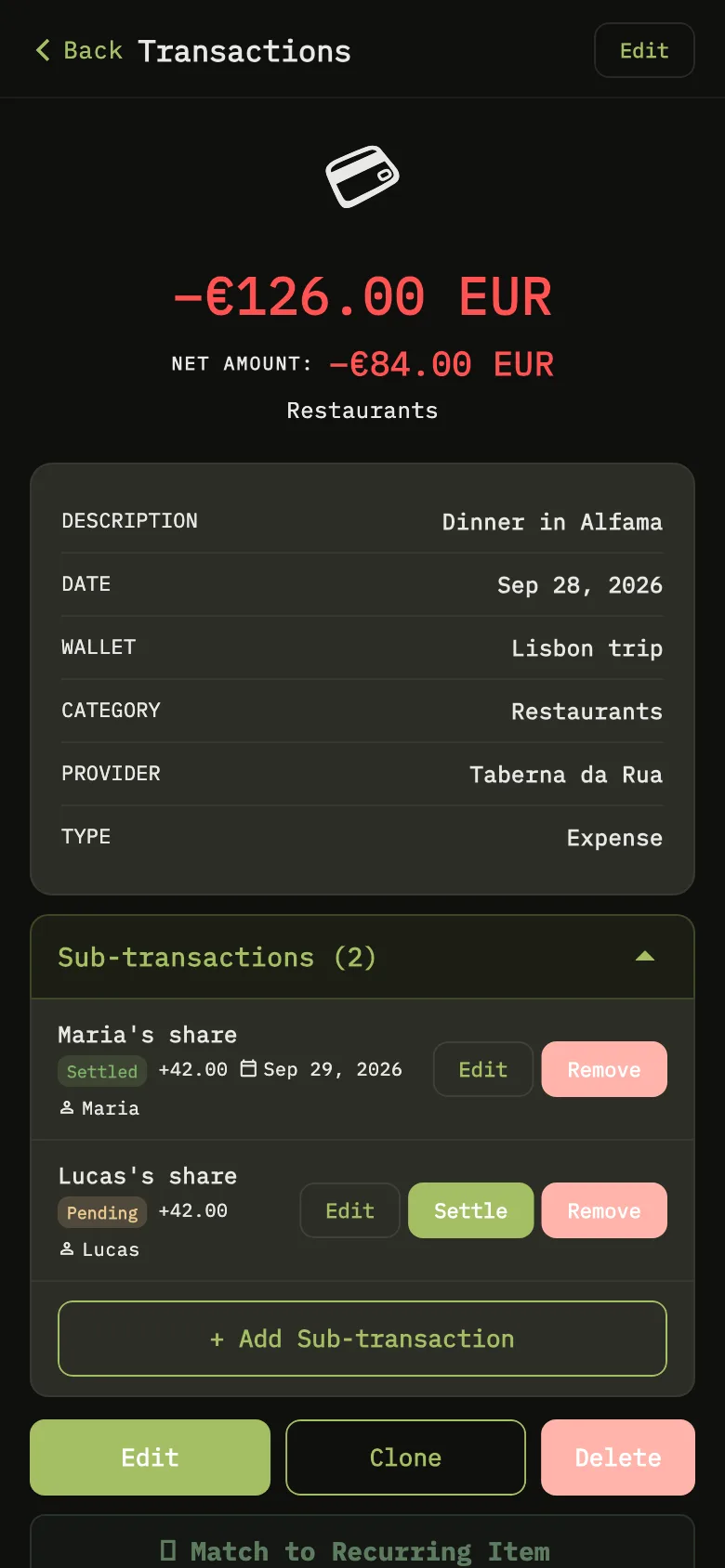
Invite friends with a link or a QR code and share a wallet, so everyone sees the same numbers. Split an expense and keep track of who has settled up. Sharing needs the Collaboration plan.
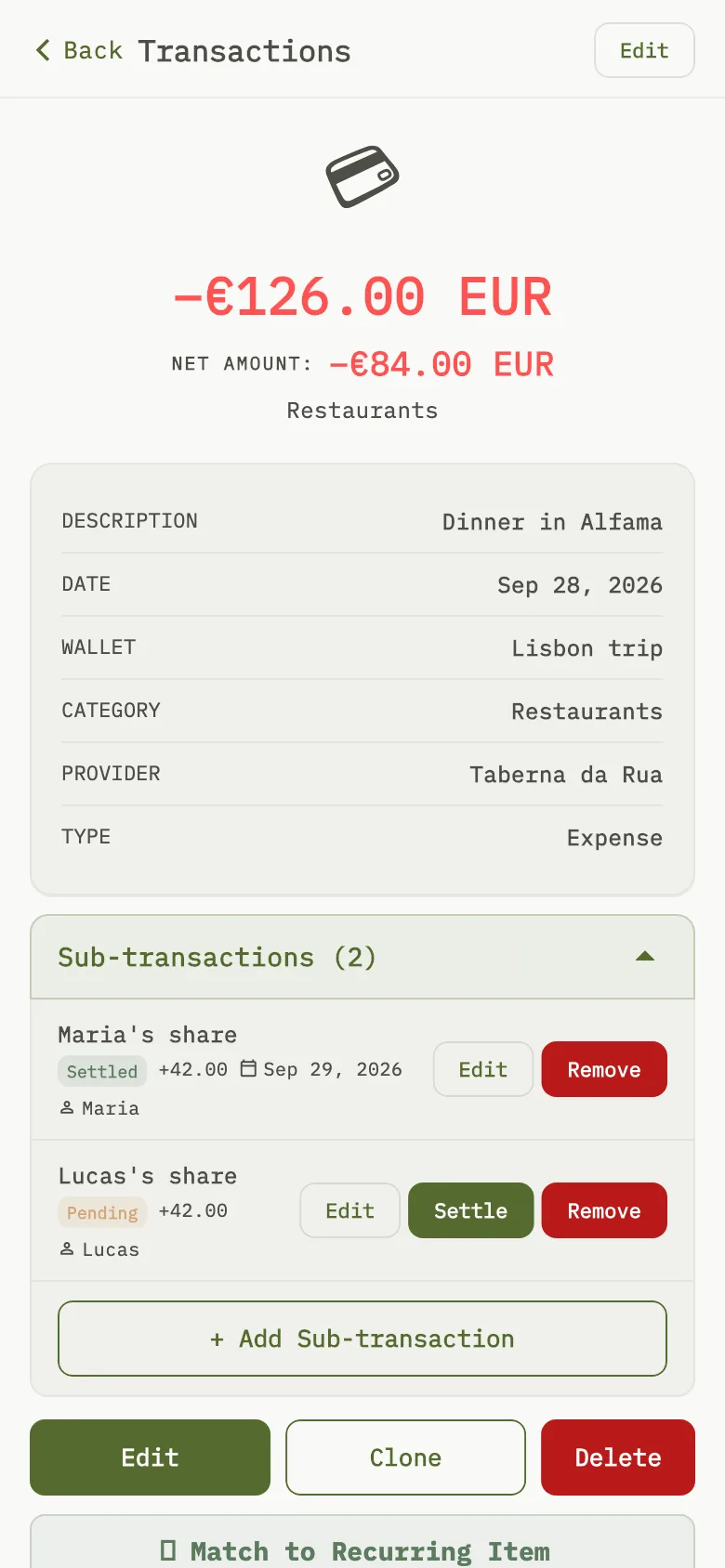
Split a dinner and see who has settled AI receipt scanning
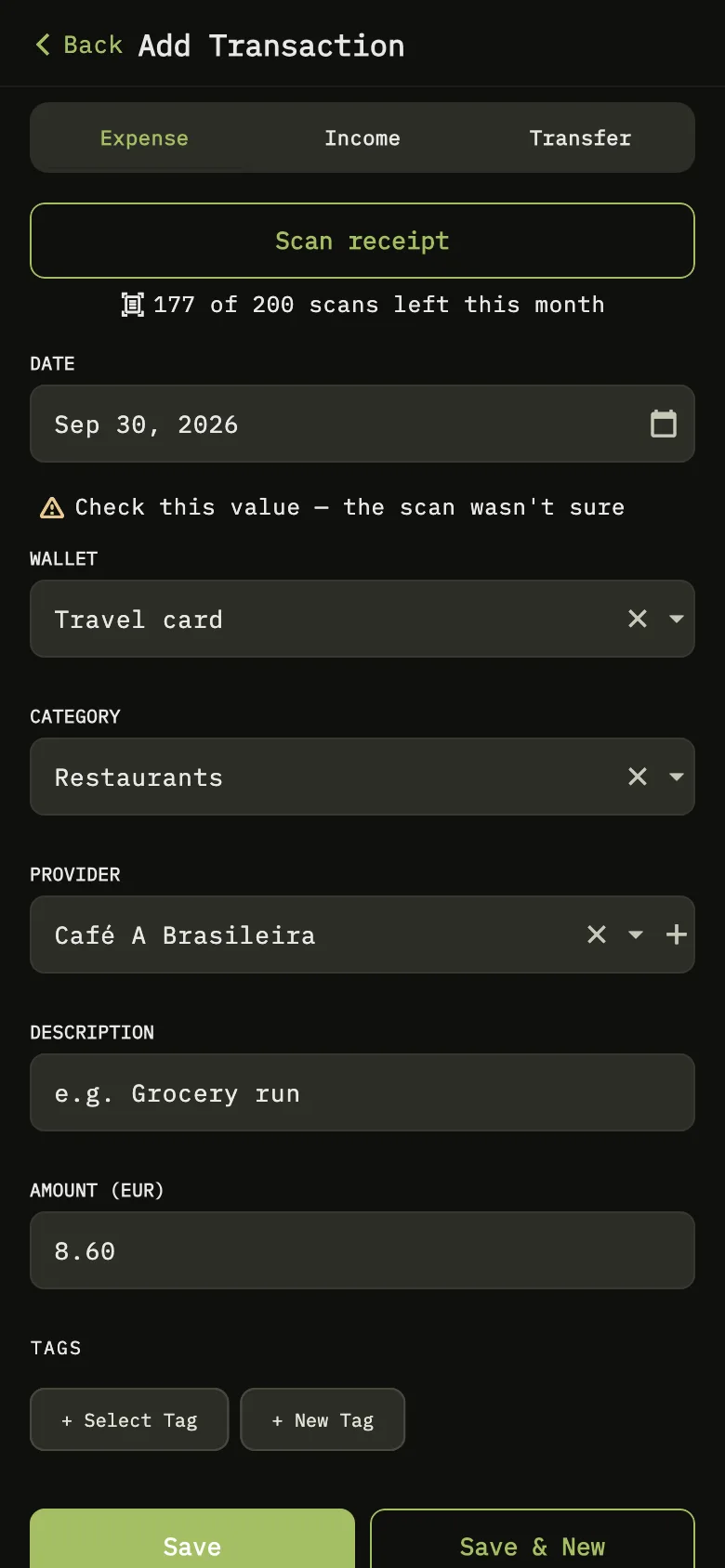
Take a photo of a receipt or pick one from your gallery. WisExpense reads the merchant, total, currency and date, and fills in the expense for you to check. How many scans you get each month depends on your plan.
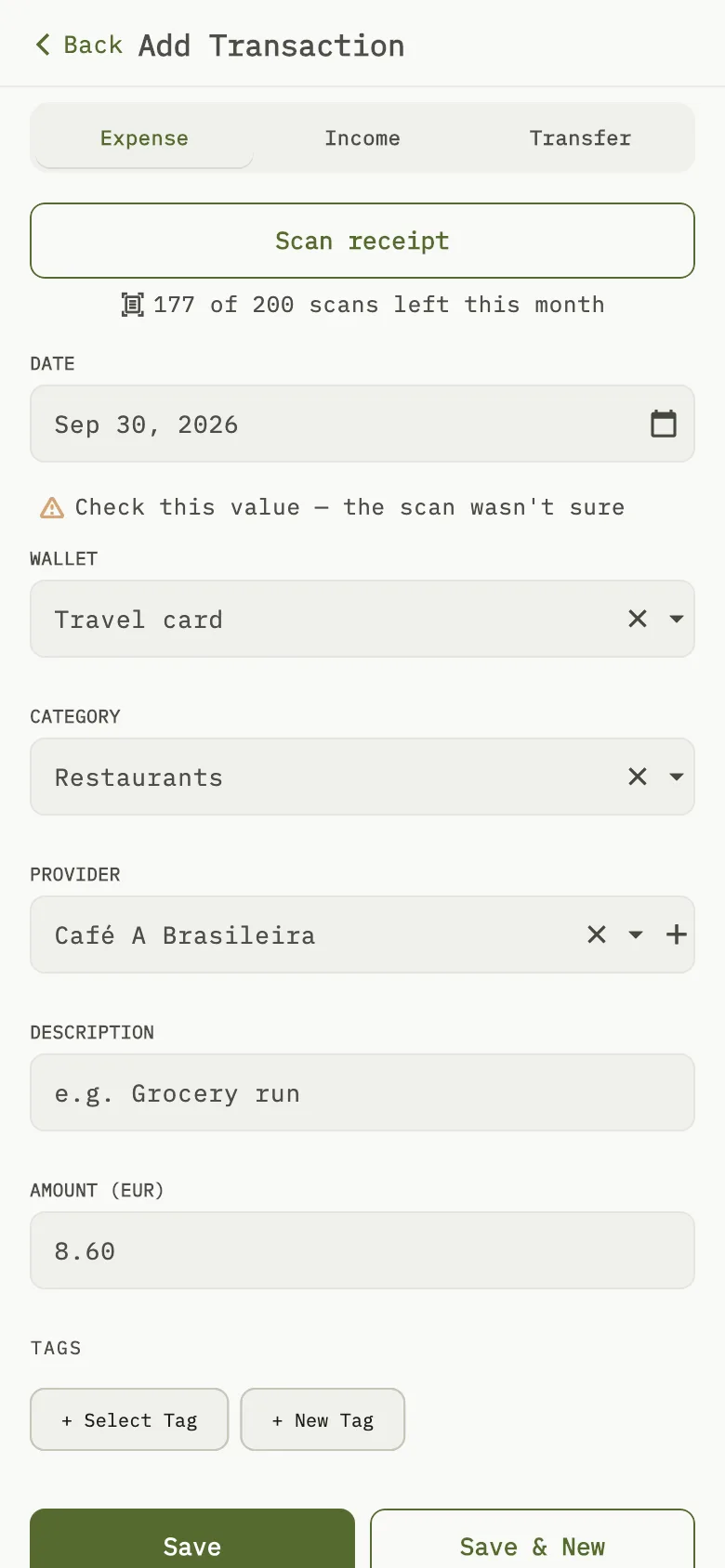
Scan a receipt and the expense fills itself in Budgets and alerts
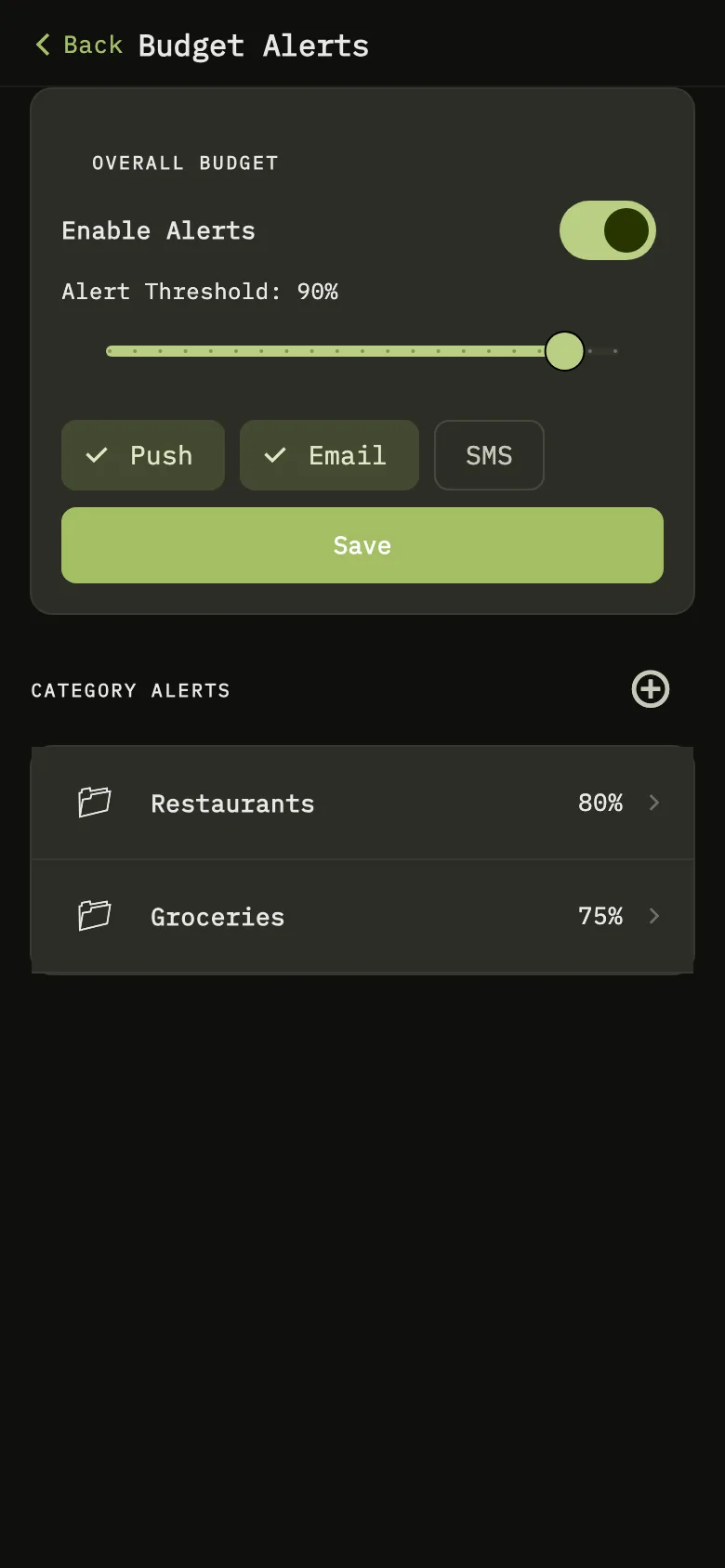
Set a budget for each period, overall or by category. Choose when to be warned, and get an alert by push notification or email before a budget runs out.
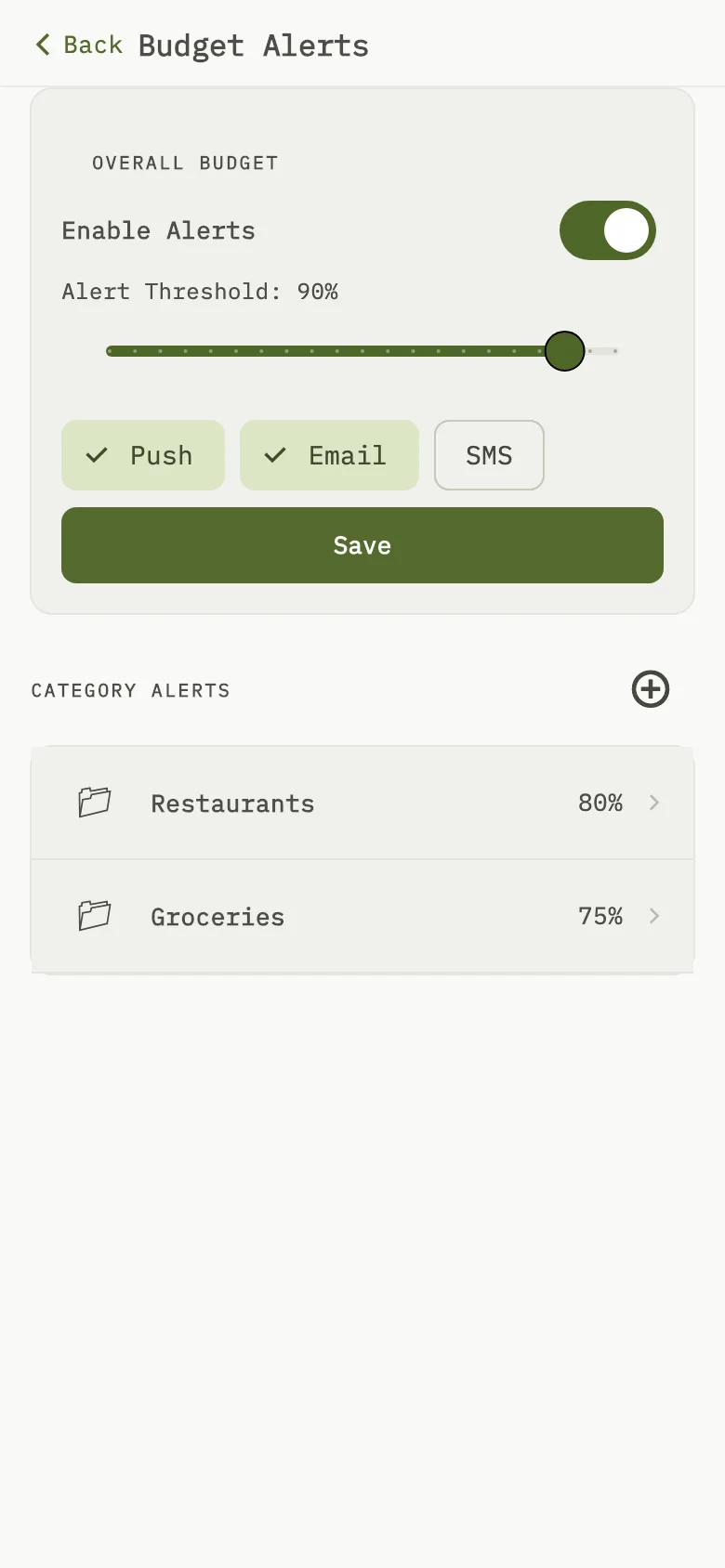
Get an alert before a budget runs out Recurring items
Keep track of rent, subscriptions and pay that come back every period, fixed or variable. WisExpense can suggest them from your history.
Savings goals
Set a target and a date, put money aside for it, and see how much is left and how many days remain.
Reports
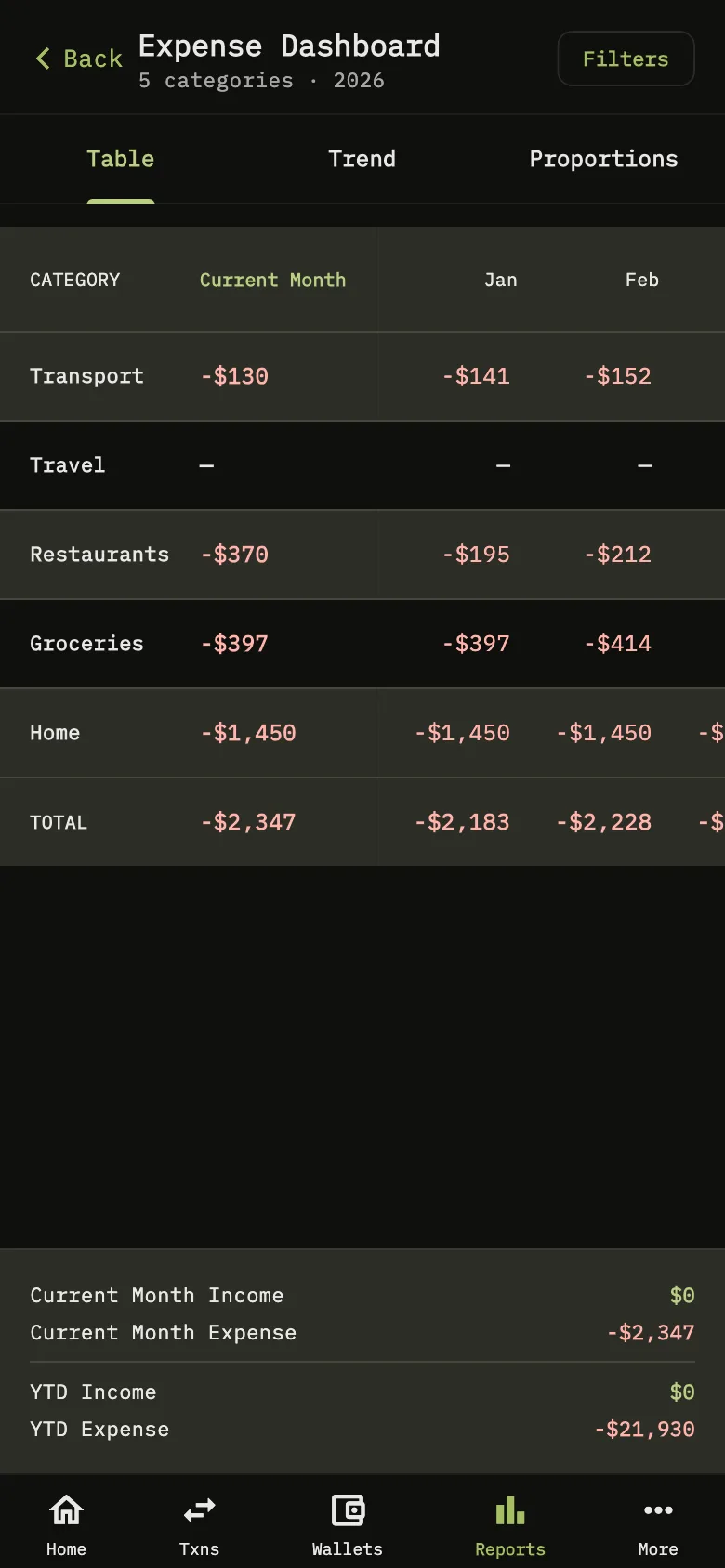
See each category month by month through the year, filtered by year and currency, with your income and expenses for the month and the year so far.
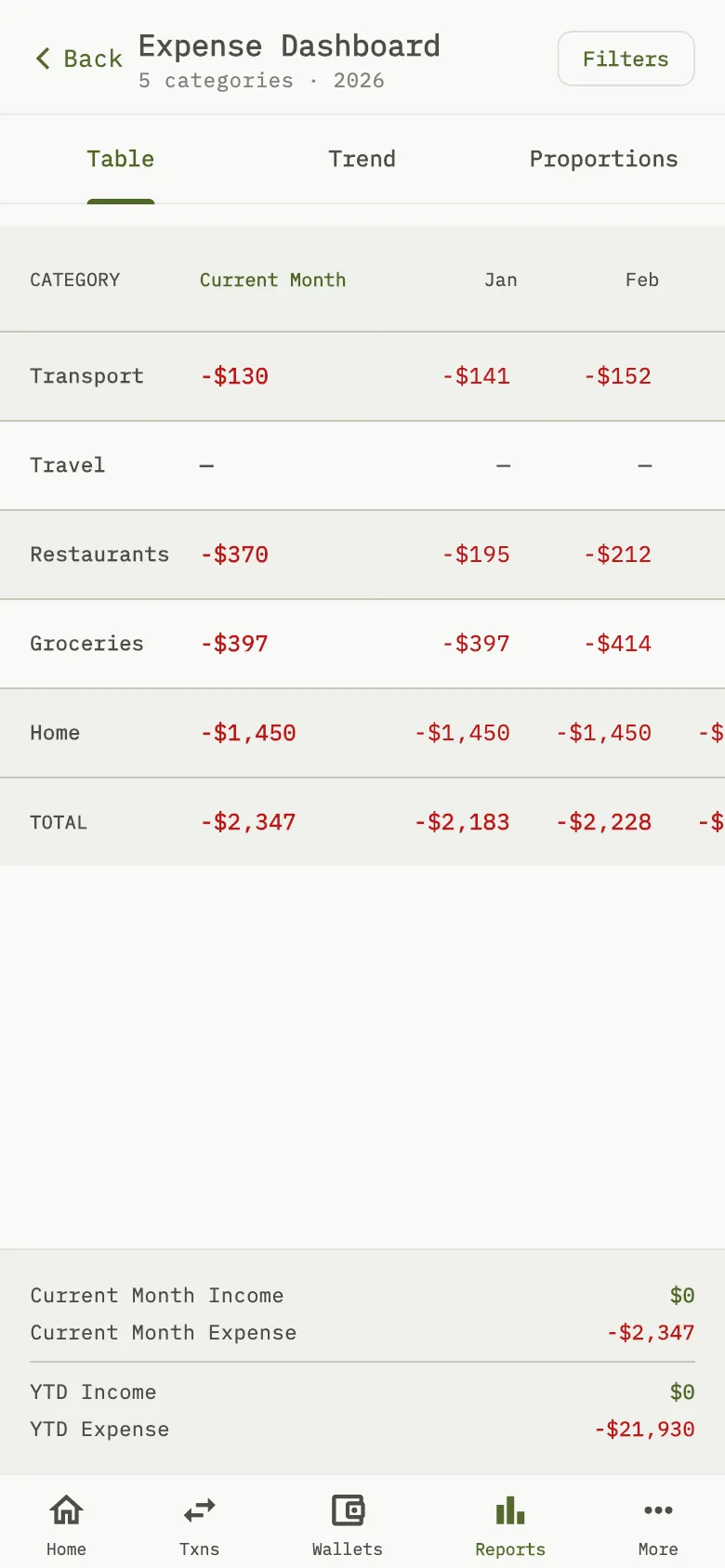
Each category, month by month
Try it for free
Start on the free plan on the web, and use the same account on iPhone and Android.